

Design & creativity
Graphic Design & Branding with AI
Turn creative ideas into a consistent brand, with practical AI assistance.
Coming soonView fees & enrollment ↓
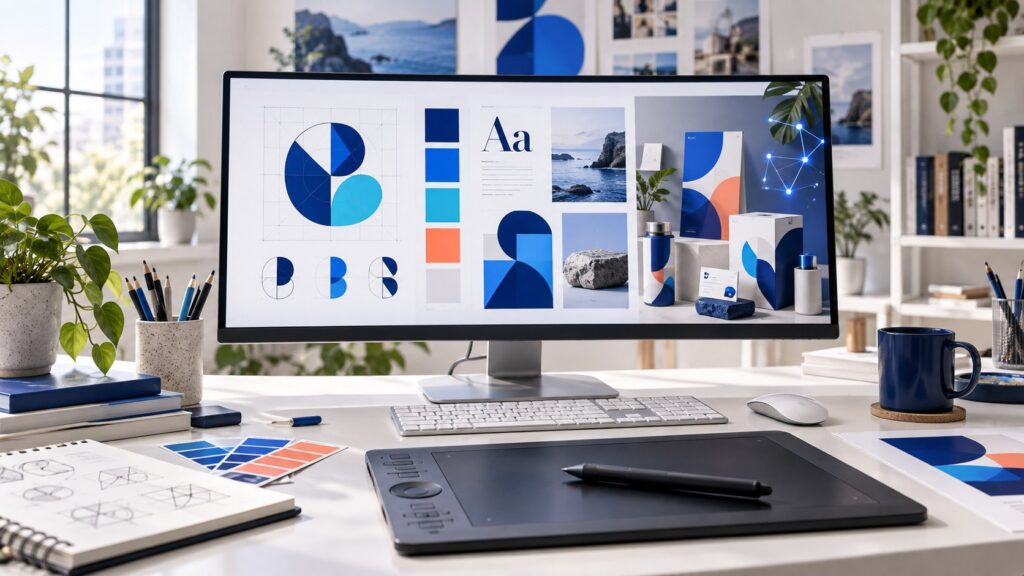
Build the visual skills to turn a business brief into clear, consistent designs. This beginner-friendly course combines graphic design fundamentals with practical AI assistance for ideas, image creation and revision. You will work on realistic projects for a fictional Pakistani shop, restaurant or service business.
What you will learn
- Use layout, hierarchy, colour, typography and spacing to communicate clearly.
- Create editable social posts, posters, presentations and brand assets in Canva, with an introduction to Photoshop and Illustrator workflows.
- Write useful AI prompts, compare visual directions and refine generated images with human judgement.
- Develop a coherent brand identity and present your work professionally.
Course syllabus
- Design foundations: visual hierarchy, grids, balance, contrast, colour and accessible typography. Practice: improve a cluttered local-business poster.
- Canva and production basics: dimensions, layers, reusable layouts, image quality and exports for screen and print. Practice: create a coordinated three-post set.
- AI for creative exploration: understand a brief, generate moodboard directions, write visual prompts and choose useful references. Practice: compare three concepts and explain your selection.
- AI image creation and editing: composition, background cleanup, product mockups, consistency and quality checks. Practice: produce a product campaign visual from assets you may use.
- Brand identity: audience, brand personality, logo concepts, colour palette, font pairing and a simple style guide. Practice: create a fictional business identity.
- Social and marketing design: carousels, thumbnails, promotional posters and campaign variations. Practice: adapt one campaign across three formats.
- Professional workflow: client briefs, feedback, revisions, file organisation, editable handover and portfolio presentation. Review asset licences, originality and permission before using client material with AI tools.
- Final brand-kit project: combine your identity, social templates and mockups into one consistent presentation, then revise it using a quality checklist.
Assignments and final portfolio
Planned practice includes a poster redesign, social-post set, AI prompt comparison and campaign visual. The final project is a brand kit for a fictional local business: logo concept, colour palette, typography guide, six social graphics, two mockups and a short presentation explaining your choices. Submit exported designs and editable project links, with a note on AI tools and source assets used.
Who this course is for
Beginners, students, small-business owners and freelancers who want a practical design foundation. Basic computer skills are enough; no previous design experience is required. A laptop or desktop is recommended for the full workflow.
Tools and learning approach
Canva and AI image tools are used alongside an introduction to Photoshop and Illustrator. Explanations will use Urdu with essential English design terms. Activities will include options using free tools where practical; optional paid software or AI subscriptions are not included and will be identified before enrollment.
Course availability
Coming soon. This page contains the planned syllabus and project outline. Lesson materials, teacher details, duration, class schedule and fee will be confirmed before enrollment opens.
Planned course outline
- Design foundations: layout, colour and typography
- Canva and reusable visual templates
- AI prompts and creative direction
- AI image creation, editing and quality checks
- Brand identity and a simple style guide
- Social media and campaign design
- Client workflow, revisions and responsible AI use
- Final project: a complete local-business brand kit
Practice that counts
Course activities may include guided lessons, practical assignments, live sessions and assessments. Your portal shows the exact requirements for your enrolled course. Certificates follow successful completion of the required activities, or administrator confirmation of classes already completed with the academy.
Age and course suitability
We welcome students from age 8. Course placement depends on readiness. Students under 18 need a parent-managed account; third-party tools may have additional age requirements. Marketing and advertising topics use supervised practice.
Student reviews
No published reviews yet. Student reviews will appear here after moderation.